Start with a trigger
Select a trigger that sets your workflow in motion.
This could be anything from a new order in your Shopify store to a customer signing up for your newsletter.
Triggers are the starting points that tell MESA when to act.
 Amazon S3 Integrations
MESA is the most flexible way integrate Amazon S3 to any app so you can get more done with less effort.
Top companies trust MESA to automate the work that runs their business.






MESA lets you connect Amazon S3 to any app - no coding required.
Making workflows is easy. Triggers start a workflow then, actions occur when it's running. Read more Amazon S3 docs in our knowledge base.
Integrating Amazon S3 into repeatable workflows helps you accomplish more in less time. Automate more tasks to unlock growth at scale.
When orders are placed, fulfilled, or updated in Shopify, MESA writes the relevant data to your Amazon S3 bucket. Your records are preserved in a structured, accessible format without anyone running manual exports or managing backup schedules.
When a customer submits a file through your Shopify store — a proof, a customization request, a design upload — MESA routes it to the correct S3 bucket and folder automatically. Nothing gets lost in an inbox or a generic upload location, and your files are organized from the moment they arrive.
When a new file appears in a designated S3 bucket — a signed contract, a completed form, an approved asset — MESA kicks off the corresponding action in Shopify. Your offline approvals and file-based processes feed directly into your store operations without a manual handoff step.
When a product is created or updated in Shopify, MESA copies the associated images and files to S3. Your creative assets are always backed up and accessible outside the Shopify admin without anyone maintaining the archive by hand.
When a file lands in your S3 bucket — a purchase order, a supplier spec sheet, a customer intake form — your AI assistant reads the contents and takes the corresponding action in Shopify. Documents become workflow triggers, not tasks waiting in a queue.

Need help crafting the perfect automation? We offer worflow setup services to help you add automation into your work more quickly. Request a custom workflow.

Build AI agents in minutes that integrate, automate, and simplify your business.
Try for free Try MESA for free, 7-day trial included.MESA helps you connect two or more apps to handle repetitive tasks automatically, no code necessary.
Select a trigger that sets your workflow in motion.
This could be anything from a new order in your Shopify store to a customer signing up for your newsletter.
Triggers are the starting points that tell MESA when to act.


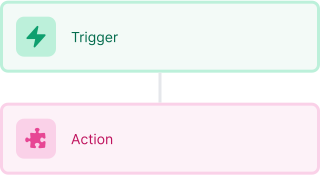
Next, choose the action that should follow the trigger.
Actions are the tasks that MESA will perform automatically, such as sending a confirmation email or updating your product inventory.
Linking actions to triggers is how you build a seamless workflow process.
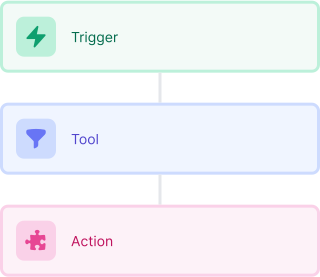
Make your workflow even more flexible using built-in apps.
Customize your automation with tools that match your specific needs, whether it's scheduling theme changes or syncing with your CRM.
Personalization ensures your workflows fit your unique business requirements.
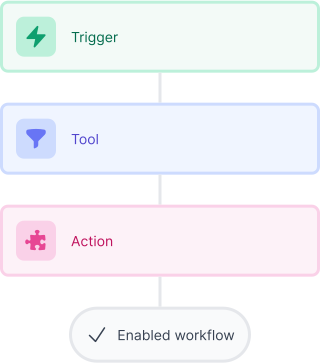
Finally, enable your workflow. You've just automated a task that will save you time and reduce manual effort.
With MESA, complex processes become simple, freeing you up to focus on what matters most—growing your business.

Get help from our team of experts and industry partners, who are dedicated to ensuring your MESA experience is smooth, efficient, and tailored to your exact business needs.