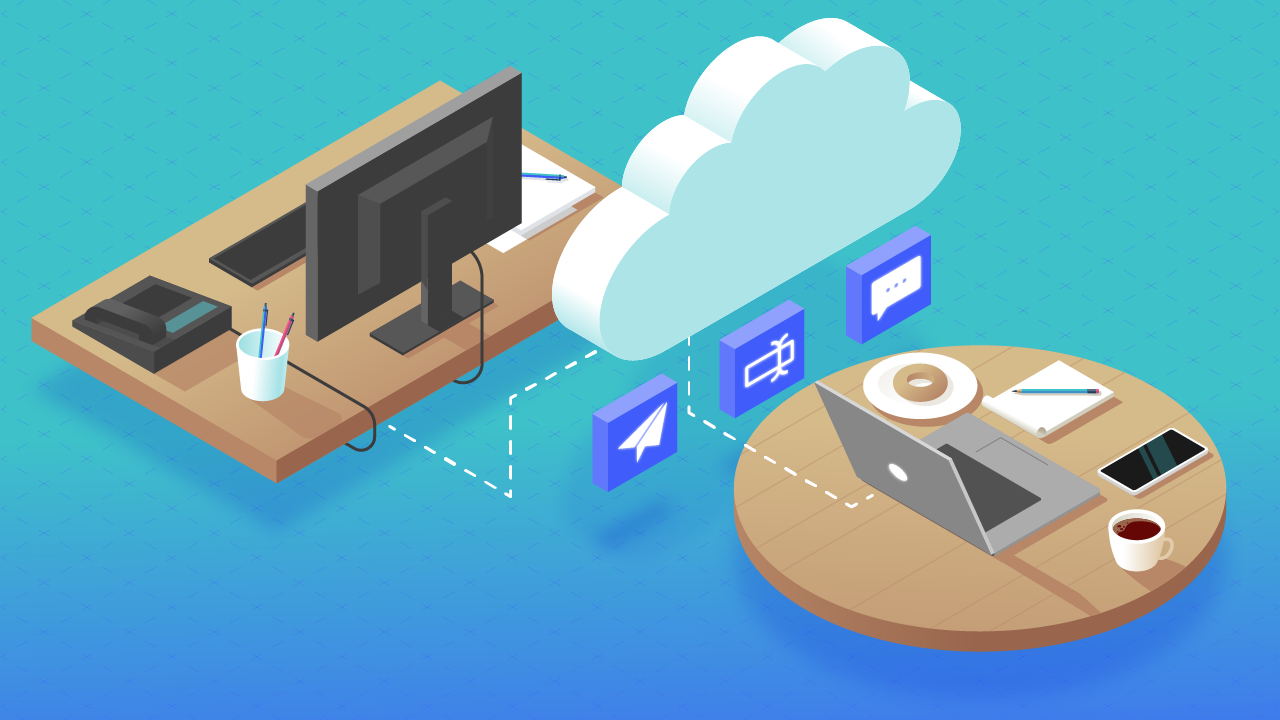




Start with a trigger
Select a trigger that sets your workflow in motion.
This could be anything from a new order in your Shopify store to a customer signing up for your newsletter.
Triggers are the starting points that tell MESA when to act.
 Discord Integrations
MESA is the most flexible way integrate Discord to any app so you can get more done with less effort.
Top companies trust MESA to automate the work that runs their business.






MESA lets you connect Discord to any app - no coding required.
Quickly add automation with our pre-made Discord workflow templates.
Making workflows is easy. Triggers start a workflow then, actions occur when it's running. Read more Discord docs in our knowledge base.
Integrating Discord into repeatable workflows helps you accomplish more in less time. Automate more tasks to unlock growth at scale.
When a new product drops, a sale goes live, or a limited release is announced in Shopify, MESA posts the update to the right Discord channel automatically. Your community hears about it the moment it happens, not when someone remembers to post.
When an order comes in with specific conditions — a high value, a wholesale flag, a fulfillment issue — MESA sends the details to the right Discord channel. Your team stays informed without checking Shopify or setting up a separate alert system.
When stock drops below a threshold or a fulfillment status changes in Shopify, MESA posts the update to your Discord server. Your team acts on what matters without monitoring dashboards across multiple tools.
When a customer places their first order or reaches a loyalty milestone in Shopify, MESA sends them an invite or a welcome message through Discord. Your community grows with your customer base without anyone managing outreach manually.
Your AI assistant reads Shopify order, inventory, and customer data and posts a plain-English summary to your Discord server on a schedule. Your team gets the signal they need to start the day without pulling reports from multiple places.

Need help crafting the perfect automation? We offer worflow setup services to help you add automation into your work more quickly. Request a custom workflow.

Build AI agents in minutes that integrate, automate, and simplify your business.
Try for free Try MESA for free, 7-day trial included.MESA helps you connect two or more apps to handle repetitive tasks automatically, no code necessary.
Select a trigger that sets your workflow in motion.
This could be anything from a new order in your Shopify store to a customer signing up for your newsletter.
Triggers are the starting points that tell MESA when to act.


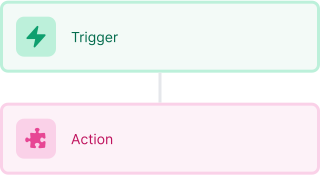
Next, choose the action that should follow the trigger.
Actions are the tasks that MESA will perform automatically, such as sending a confirmation email or updating your product inventory.
Linking actions to triggers is how you build a seamless workflow process.
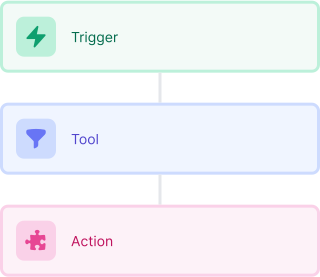
Make your workflow even more flexible using built-in apps.
Customize your automation with tools that match your specific needs, whether it's scheduling theme changes or syncing with your CRM.
Personalization ensures your workflows fit your unique business requirements.
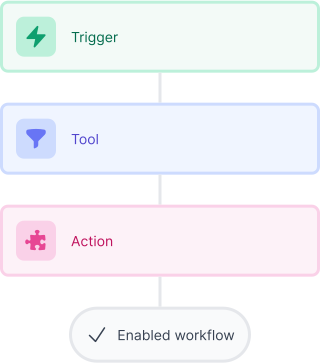
Finally, enable your workflow. You've just automated a task that will save you time and reduce manual effort.
With MESA, complex processes become simple, freeing you up to focus on what matters most—growing your business.

Get help from our team of experts and industry partners, who are dedicated to ensuring your MESA experience is smooth, efficient, and tailored to your exact business needs.