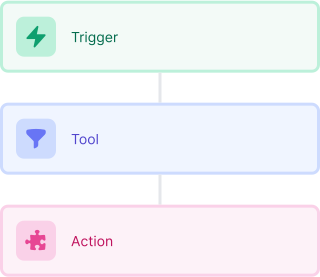
Start with a trigger
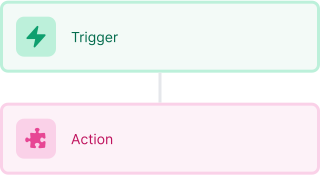
Select a trigger that sets your workflow in motion.
This could be anything from a new order in your Shopify store to a customer signing up for your newsletter.
Triggers are the starting points that tell MESA when to act.


MESA is the most flexible way automate Smile.io to Recharge. Easily add workflows to simplify your work.
Top companies trust MESA to automate the work that runs their business.






MESA helps you make workflows that keeps your business running. A trigger is the event to start a workflow then, actions are performed.
Smile.io to Recharge automations get more done in less time. Automate the everyday tasks holding back your potential growth.
When a customer earns or redeems points in Smile.io, MESA updates their record across your stack — email platform, CRM, Shopify tags. Every tool reflects where each customer stands in your program.
When a customer meets a condition in Shopify — first purchase, spend threshold, product type — MESA adds them to Smile.io without any manual steps. Your program grows as your store does.
When a customer hits a milestone — a birthday, a VIP tier, a win-back window — MESA triggers the right Smile.io action and can notify them through your preferred channel. No manual monitoring required.
When a VIP customer places an order, files a refund, or shows a churn signal, MESA flags it for your team. Your best customers get the response they deserve before the moment passes.
Your AI assistant reads Shopify purchase history and engagement signals to flag customers who are close to a tier threshold or overdue for re-engagement. MESA acts on those signals in Smile.io before the window closes.
When a payment fails or a subscription is paused, MESA triggers the right response automatically — a follow-up task, a tag update, a notification to your team. Retention actions happen before revenue slips away.
Every subscription change in Recharge — new, upgraded, cancelled, or paused — updates the matching record in your CRM, spreadsheet, or data warehouse. Your team always works from current data.
When a subscriber hits a milestone, upgrades their plan, or cancels after a long tenure, MESA sends a targeted alert to Slack or email. Your team can act while the moment still matters.
AI reads subscription history, order frequency, and product preferences to draft personalized re-engagement messages or upgrade prompts. Outreach goes out informed, not generic.
Each recurring Recharge order can kick off a fulfillment sequence — routing to the right warehouse, generating a packing note, or flagging a custom configuration. No manual handoffs between billing and ops.

Build AI agents in minutes that integrate, automate, and simplify your business.
Try for free Try MESA for free, 7-day trial included.MESA helps you connect two or more apps to handle repetitive tasks automatically, no code necessary.
Select a trigger that sets your workflow in motion.
This could be anything from a new order in your Shopify store to a customer signing up for your newsletter.
Triggers are the starting points that tell MESA when to act.


Next, choose the action that should follow the trigger.
Actions are the tasks that MESA will perform automatically, such as sending a confirmation email or updating your product inventory.
Linking actions to triggers is how you build a seamless workflow process.
Make your workflow even more flexible using built-in apps.
Customize your automation with tools that match your specific needs, whether it's scheduling theme changes or syncing with your CRM.
Personalization ensures your workflows fit your unique business requirements.
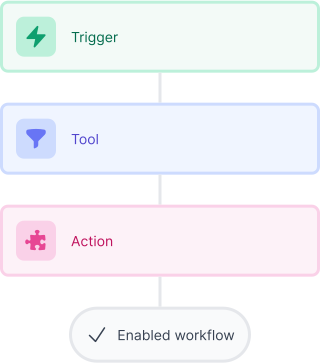
Finally, enable your workflow. You've just automated a task that will save you time and reduce manual effort.
With MESA, complex processes become simple, freeing you up to focus on what matters most—growing your business.

Get help from our team of experts and industry partners, who are dedicated to ensuring your MESA experience is smooth, efficient, and tailored to your exact business needs.